
Image to video AI Turn any photo into a video.
Upload a picture, describe how it should move, and GenKite brings it to life with the leading image to video AI models. Product shots, portraits, artwork and old family photos all work, and your photo stays the opening frame.
Animate a photoStart with 250 credits a month for $2.99 · Starter plan · How it works
- Your first video is free
- 20 video models
- 20 image models
- Price shown before you press Generate
- Failed videos refunded in credits
- 20models to choose from
- 15 creditsto start, price shown first
- 4Ktop resolution
- sound made with the video
- credits back if it fails
One photo in.A moving shot out.
See what you can make with image to video
Real videos made in GenKite, each with what made it. Start from any of them.
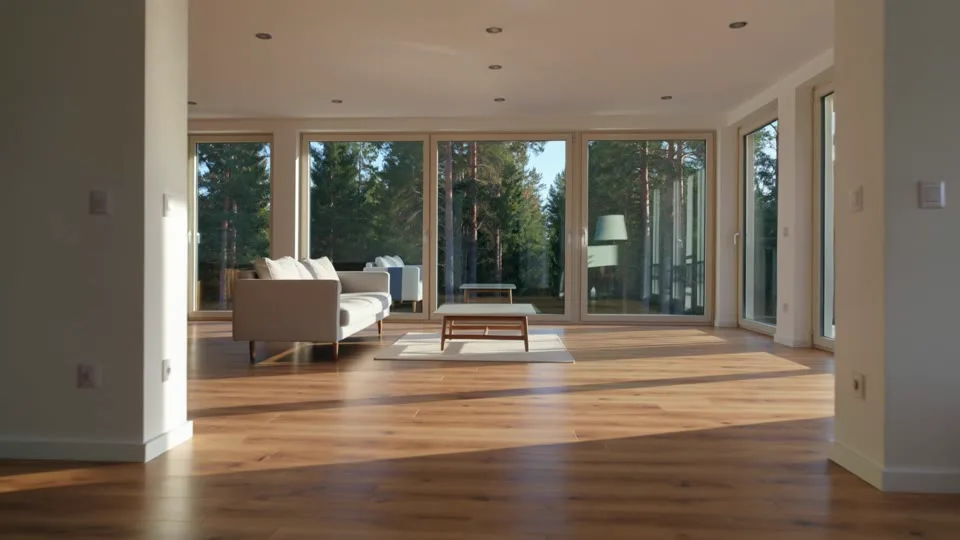


“Smooth gimbal walkthrough of a bright Scandinavian living room with floor-to-ceiling windows, afternoon sun on oak floors, minimalist furniture, the c...”
“Slow-motion close-up of a burger being assembled, melted cheese dripping onto a sizzling patty, a sesame bun dropping into place, rising steam, dark m...”
“An elderly man reads a handwritten letter by a window, his eyes filling with tears and a gentle smile forming, warm afternoon light, shallow focus, em...”
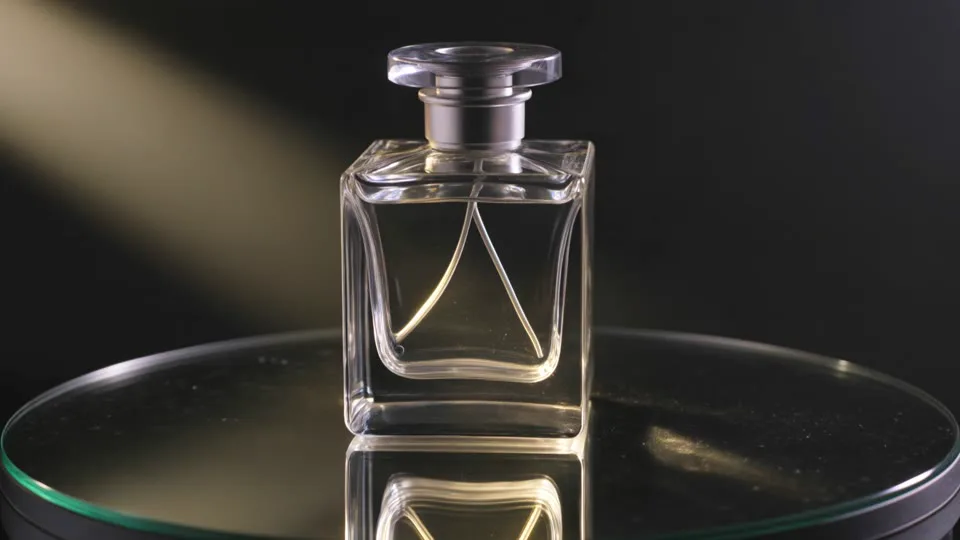
“A crystal perfume bottle rotates slowly on black glass while a single beam of warm light sweeps across it, reflections rippling across the surface, ma...”
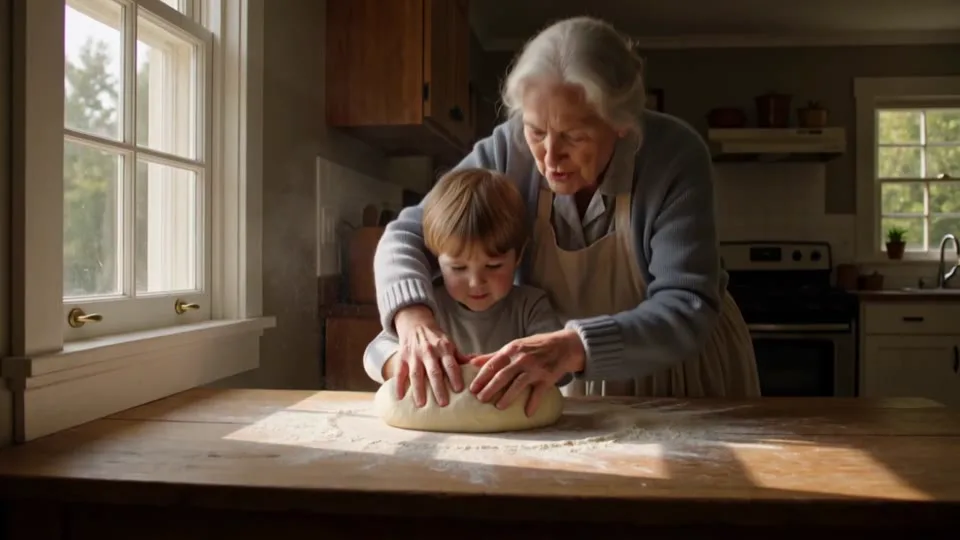
“A grandmother laughs while teaching her young grandson to knead bread dough at a farmhouse table, flour drifting in the window light”
Made for phones
Vertical, ready to post
Real vertical clips made in GenKite. Turn the sound on.
Why it's easier here
Image to video, without the hard part.
The old way
- A still photo gets scrolled past
- Animating it by hand takes skill
- One app per model, one bill each
With GenKite
- Your photo becomes the first frame
- The video takes your photo's shape
- Every top photo-to-video model in one place
How it works
Three steps, a few minutes.
- 1
Upload your photo
JPG, PNG or WebP. A sharp picture with a clear subject gives the cleanest motion.
- 2
Describe the motion
One or two sentences about what moves and how the camera behaves.
- 3
Pick a model and generate
Choose length, shape and quality, see the price, and your video is ready in a few minutes.
Made for
What people make with image to video
See it in the studio
Photo to video, step by step
Played out the way it runs in the studio, a few seconds from start to finish.
Image to video models
Image to video AI in GenKite
Every price is in credits and shown before you generate.
If a video fails, you get your credits back.
The price shows before you press Generate. If a model fails to make your video, the credits return to your balance automatically.
Start free. Pay only for what you make.
- Your first video is free when you sign up.
- Start with 250 credits a month for $2.99, a starter plan.
- Plans from $2.99 a month with credits every month. Cancel any time.
- Or credit packs from $7 that never expire.
- Every clip shows its price before you make it. Failed ones are refunded automatically.
What can you make with image to video AI?
Image to video AI turns a still picture into a short video clip. It is the quickest way to get movement into work you already have: a product packshot becomes a slow turntable reveal, a listing photo becomes a walkthrough, a portrait blinks and smiles, a painting comes to life.
Because your photo becomes the first frame, the result keeps the details that matter, such as a face, a logo or a room layout, which is much harder to get from a text prompt alone. That makes photo to video the better choice whenever the subject has to look exactly right.
Tips for better photo to video results
Keep the motion simple. One clear action and one camera move work better than a list of things happening at once.
Match the shape of the video to the shape of the photo, so nothing important is cropped. Upscale small or blurry photos first with the image tools, then animate them.
If the first result is not right, change one thing at a time: the wording of the motion, the model, or the length.
Questions
New accounts can start with 250 credits a month for $2.99. Clips are priced in credits and you always see the exact cost before you generate, starting from 15 credits.
It depends on the shot. Kling is known for natural, physically convincing motion, Seedance for cinematic multi-shot clips, Hailuo for expressive people at a low price, and PixVerse for anime and 3D styles. GenKite has them all, so you can compare them on your own photo.
Yes. Old family photos work well. For faded or low-resolution pictures, run them through Upscale or Unblur in the image tools first, then turn the restored photo into a video.
Most models make clips of 5 to 10 seconds, and the longest go up to 30 seconds. For something longer, Director plans a sequence of shots and joins them into one film.
Several models create sound with the video, including speech, music and effects. You can also add your own audio or a voiceover afterwards.
Also in GenKite
Try image to video now.
Sign up with Google or email · your first video is free · then 250 credits a month for $2.99 if you want more