
Motion control AI Copy the moves from one video onto anyone.
Pick a clip with the movement you want, add a photo of your character, and motion control AI makes the character perform the same moves: a dance, a gesture, a walk or a full routine.
Try motion controlStart with 250 credits a month for $2.99 · Starter plan · How it works
- Your first video is free
- 20 video models
- 20 image models
- Price shown before you press Generate
- Failed videos refunded in credits
A move you like.Your photo doing it.
Movement made in GenKite
Dance, sport and fashion: the kind of motion you can copy onto a photo.



“A dancer performs a fluid contemporary routine on a rooftop at sunset with the city skyline behind, music video, flowing camera”
“A ballet dancer spins in an abandoned theatre, dust drifting through a single shaft of light, the camera slowly circles her, her shoes squeak on the o...”
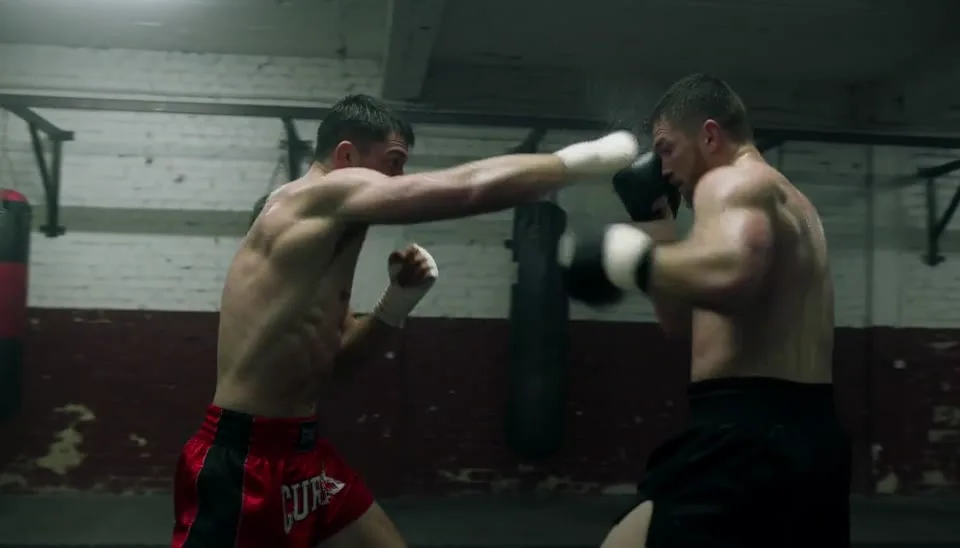
“Two kickboxers trade fast combinations in a sweaty boxing gym, the handheld camera circles them, sweat flying on each impact, harsh overhead light, in...”
“A skateboarder carves down an empty mountain road at golden hour, the drone follows from behind then swings alongside him, long shadows, pine forest,...”
Made for phones
Vertical, ready to post
Real vertical clips made in GenKite. Turn the sound on.
Why it's easier here
Motion control AI, without the hard part.
The old way
- Learning the dance yourself
- Animating a character by hand
- Motion capture suits and studios
With GenKite
- Copy the motion from any clip
- Onto a photo of anyone or anything
- The face and outfit kept
How it works
Three steps, a few minutes.
- 1
Upload the moves
A clip of up to 30 seconds with the movement to copy.
- 2
Add your character
A clear, full picture of who should perform it.
- 3
Generate
The character performs the moves in the photo's setting.
Made for
What people make with motion control AI
See it in the studio
Video tools, step by step
Played out the way it runs in the studio, a few seconds from start to finish.
Motion tools
Motion control AI in GenKite
Every price is in credits and shown before you generate.
If a video fails, you get your credits back.
The price shows before you press Generate. If a model fails to make your video, the credits return to your balance automatically.
Start free. Pay only for what you make.
- Your first video is free when you sign up.
- Start with 250 credits a month for $2.99, a starter plan.
- Plans from $2.99 a month with credits every month. Cancel any time.
- Or credit packs from $7 that never expire.
- Every clip shows its price before you make it. Failed ones are refunded automatically.
Using motion control well
Choose a reference clip where the whole body is visible and the camera is steady, and a character photo that shows the same amount of the body. Only use photos of real people who have agreed to it; GenKite asks you to confirm consent before generating.
Questions
It is priced per second of video, from 110 credits. New accounts can start with 250 credits a month for $2.99.
Only with their consent, which you confirm before generating.
The reference clip can be up to 30 seconds.
Also in GenKite
Try motion control AI now.
Sign up with Google or email · your first video is free · then 250 credits a month for $2.99 if you want more